


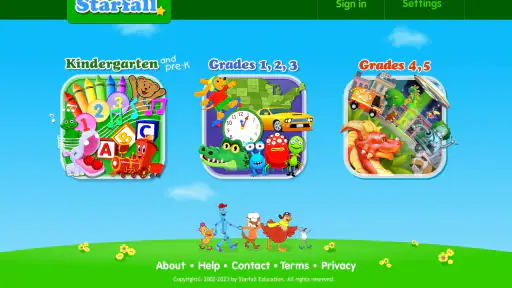
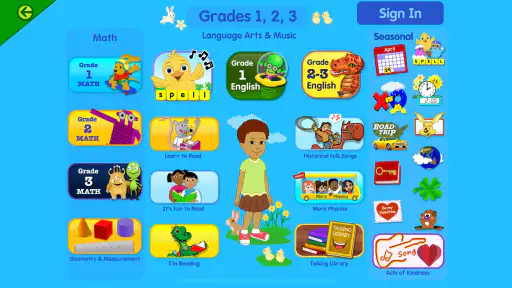
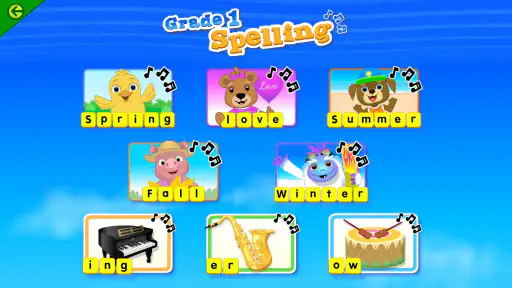
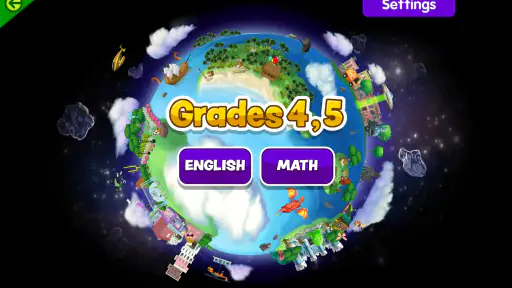
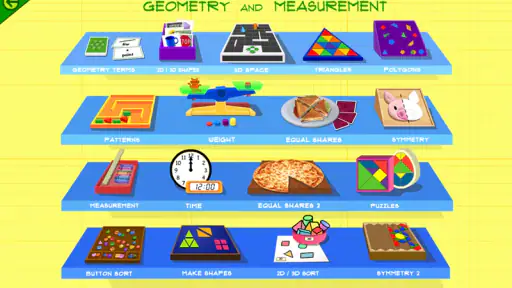
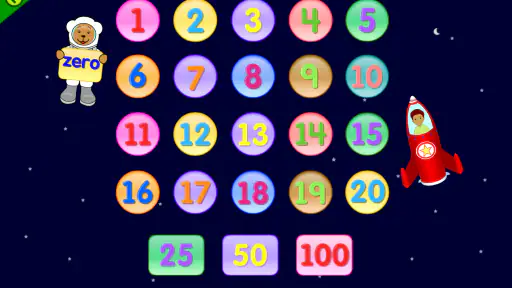
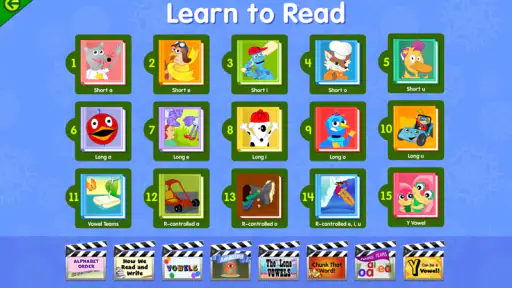
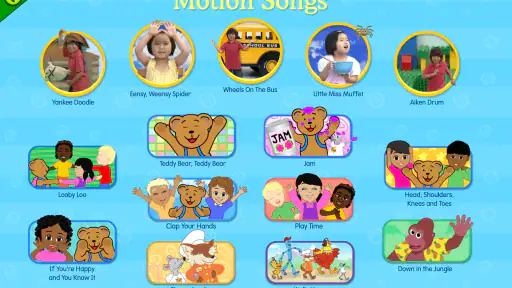
When I first opened Starfall, I did not treat it like a typical game or a worksheet collection. It feels more like a friendly learning space for young children, with short activities designed to make early practice less intimidating. The app sits in the Education category and is developed by Starfall Education Foundation. Its main appeal is simple: a child can move from one small activity to another without needing a complicated lesson plan from an adult.
That simplicity matters for a first-time user. A parent may be looking for something to occupy a child for a few minutes while still feeling worthwhile, while a teacher may want an extra activity for early learners. Starfall can fit both situations, although it works best when an adult helps choose an appropriate starting point rather than handing over the whole app without guidance.
The app is free to install, rated for Everyone, and supports devices running Android 7.0 or later. Some content is available through in-app purchases priced at $5.99 per item, while the broader experience is connected to a subscription. In practical terms, I would begin with the free material before deciding whether the paid access is useful for your child.
What to expect when you open Starfall
The first thing to understand is that Starfall is not built around one long course with a clear beginning and ending. It offers numerous activities, so the experience is closer to a collection of learning paths than to a single game campaign. That can be liberating for a child who wants variety, but it can also feel a little scattered if you expect the app to tell you exactly what to do next.
I found the short-activity format especially suitable for children who lose interest during long explanations. A child can try one task, finish it, and then pause without feeling that an entire lesson has been abandoned. This makes the app useful for small moments: a quiet activity before dinner, a few minutes of practice after school, or a gentle warm-up before a parent reads with a child.
The strongest fit is early learning, particularly for children who benefit from repetition and immediate interaction. It is less suitable for an older student who needs detailed subject explanations, formal assessments, or a structured curriculum that tracks every stage of progress. Starfall feels intentionally approachable rather than academically comprehensive.
Its audience is also reflected in its reach. The app has passed 5 million installs, carries a 3.9 average from roughly 27 thousand ratings, and has about 6.1 thousand written reviews. I would read those numbers as a sign that it is widely used, not as proof that every child will enjoy it. Young learners differ greatly in reading readiness, attention span, and comfort with touch controls.
How I would introduce it to a child
I would avoid saying, “Go explore everything.” That sounds inviting, but a large activity collection can create choice overload. Instead, I would sit with the child for the first session and select one activity that matches a skill they are already beginning to practice. The goal is not to cover the whole app; it is to create one quick success.
For example, if a child is working on recognizing letters, I would start with an activity that feels familiar rather than jumping into something that demands independent reading. If the child is already comfortable with basic tasks, I would let them choose between two options. That small choice gives them ownership without making the opening screen feel like a test.
One useful habit is to stop while the experience is still going well. Adults often keep an educational app running because they want to make the time productive, but young children may remember the last frustrating moment more strongly than the earlier successes. A short, positive session is a better introduction than forcing a longer one.
Setting up the first session without unnecessary friction
Installation itself is straightforward for a compatible device, but the important setup decision comes after opening the app: deciding how much of the available content your child should see. Because access can vary between free material and subscriber content, I would first explore what is immediately available before discussing payment with a child.
This is also where an adult should establish a simple routine. Decide whether Starfall is for independent exploration, guided practice, or a mixture of both. Independent use can work when the child already understands the controls. Guided use is better when the child is new to digital learning or becomes discouraged quickly.
I would also check the app together before the first unsupervised session. The reason is not that the activities are difficult to understand, but that a child may move into a different section and suddenly face content that is either too easy or too demanding. A two-minute preview helps you identify a comfortable starting point and prevents the first experience from becoming a hunt through menus.
The free starting point is one of the app’s practical advantages. You can test whether the visual style, pacing, and activity format suit your child without committing immediately. If the child repeatedly reaches content that requires broader access, then the subscription question becomes easier to judge: you will know whether the app is being used often enough to justify expanding it.
At the same time, the free-versus-paid arrangement can be a source of confusion. A child may see an appealing activity and not understand why it is unavailable. I recommend explaining this in plain language before handing over the device: “Some activities are open now, and some need the grown-up choice.” That avoids turning a locked section into a frustrating surprise.
A practical setup for a busy household
In a realistic after-school situation, I would open Starfall before the child arrives, choose one activity, and place the device where an adult can remain nearby. The child could complete that activity while a parent prepares a snack, then show what they did afterward. This arrangement keeps the app from becoming background noise and creates a natural opportunity to ask what felt easy or difficult.
For a classroom or shared family device, I would keep the first session focused on navigation. Let the child learn how to start an activity, complete it, and return to the selection area. That basic loop is more valuable than quickly opening every available section. Once the child knows how to move around confidently, the adult can spend less time solving navigation problems and more time discussing the learning itself.
Because the current version is 3.3.92, I would still pay attention to how the app behaves on the particular device being used. A version number does not tell me how a child will respond to screen size, touch sensitivity, or the device’s overall performance. If tapping feels unreliable, the child may appear to be struggling with the lesson when the real issue is the hardware.
The first meaningful success
The best first result is not finishing a large number of activities. It is seeing the child understand the basic rhythm: listen or look, make a choice, receive feedback, and try again if needed. Once that pattern becomes familiar, the app feels less like an unfamiliar digital toy and more like a tool the child can use with confidence.
I would define the first successful action very narrowly. Ask the child to complete one activity without taking over the controls. If they make a mistake, give them time to try again. If they ask for help, offer a hint about where to look rather than immediately tapping the answer. This keeps the achievement theirs.
That approach reveals one of Starfall’s useful strengths: it can support practice without making the adult deliver every instruction. The child still benefits from a nearby guide, but the parent does not have to narrate every second. For families who want learning time to feel lighter, that balance is valuable.
After the activity, ask a specific question instead of a broad one. “Which part was easiest?” is more useful than “Did you like it?” A child may not be able to judge the whole app, but they can often point to a sound, picture, letter, or interaction that made sense. That answer helps you choose the next activity more intelligently.
A second concrete technique is to repeat a successful activity on another day before moving on. Repetition can look less exciting to an adult, but it helps reveal whether the child understood the task or simply guessed correctly once. If the child completes it more confidently the second time, you have a better signal that the activity is reinforcing a skill.
When adult guidance improves the result
Starfall does not need to become a formal tutoring session. In my experience, the most effective support is brief and specific. Sit beside the child at the start, explain the goal in one sentence, and then allow them to work. Step in only when they are stuck, confused by the navigation, or becoming upset.
This is particularly important for children who tap quickly. Fast tapping can make an activity look unsuccessful even when the child understands the concept. Encourage them to pause and look before choosing. That simple change turns the app from a reaction game into a more thoughtful learning moment.
Another useful workflow is to connect the activity to something away from the screen. If the child practices a letter, look for that letter on a book cover or food package afterward. If the child works with a basic concept, ask them to find an example in the room. The app then becomes a starting point for conversation rather than the entire learning experience.
Common confusion and the limits I noticed
The biggest potential confusion is the size of the content collection. More activities do not automatically mean a better session. A child may wander from one option to another without completing anything, while an adult may mistake movement through the app for meaningful progress. I would use a small goal for each session and ignore the temptation to sample everything.
The subscription model is another point to handle carefully. The app is free, but access to all content requires becoming a subscriber, and individual in-app items are priced at $5.99 each. That means “free” should be understood as a way to begin, not necessarily as a promise that every activity is permanently open. An adult should review the available choices and make the purchasing decision, rather than letting the child discover payment prompts alone.
The app can also feel less structured than alternatives that present a fixed sequence of lessons. A more course-like learning app may be preferable if you want a daily assignment, a visible progression, or a clear record of completed units. Starfall is better when you value flexibility and want to choose activities according to the child’s current mood or ability.
Compared with paper worksheets, Starfall offers more immediate interaction and may be easier to start when a child resists sitting down with a pencil. Worksheets are still better for handwriting practice, physical coordination, and showing work on paper. I would not use Starfall as a replacement for books, conversation, drawing, or hands-on play.
Compared with video-only learning, the app gives the child more chances to respond rather than simply watch. That can make practice feel more active. However, a video can sometimes explain a topic more clearly when a child needs a longer demonstration. The right choice depends on whether the child needs repeated interaction or a calm explanation first.
There is also a motivational trade-off. A child who enjoys familiar activities may return willingly, but enjoyment alone does not guarantee that the activity remains appropriately challenging. I would occasionally watch a session and ask whether the child is still thinking or merely tapping through something they already know. If the latter becomes common, it is time to guide them toward a different level or use another learning resource alongside it.
Who should use it, and who should skip it
I would recommend Starfall to parents of young learners who want an approachable collection of educational activities and are willing to spend a few minutes choosing content. It is a good match for short practice sessions, children who respond well to visual interaction, and families that prefer trying free material before considering broader access.
I would be more cautious if you need detailed progress reporting, a tightly ordered curriculum, or specialized support for a particular learning difficulty. The app may still be useful as a supplement, but I would not make it the only resource in those situations. A teacher, specialist, or more structured program may offer the guidance that Starfall is not designed to provide.
I would also skip it if your main goal is entertainment rather than learning. The app’s value depends on choosing activities thoughtfully and giving the child time to engage with them. If you want an open-ended game with a strong story, competitive play, or complex challenges, this is not the right category of experience.
What to do after the first session
Once a child has completed one activity successfully, the next step should be a small routine rather than a large commitment. Try choosing one familiar activity and one new activity during later sessions. The familiar choice builds confidence, while the new one gives you information about what the child is ready to attempt.
Keep the adult role consistent. Before starting, name the goal. During the activity, wait before helping. Afterward, ask the child to explain or demonstrate one thing. This three-part pattern makes the app more useful than simply opening it whenever there is spare time.
If the child repeatedly asks for content that is behind a subscription, decide based on actual use rather than curiosity. The paid option makes more sense when the child returns regularly, benefits from the variety, and can use the activities with limited adult intervention. If interest fades after a few sessions, staying with the free material—or moving to books and hands-on activities—may be the wiser choice.
Remember that Starfall works best as part of a wider learning routine. Follow screen time with a real-world activity connected to what the child just practiced. That might mean reading together, finding letters around the house, drawing, or explaining an idea aloud. The app supplies a focused prompt; the conversation afterward is where much of the deeper learning can happen.
Starfall Education Foundation has kept the basic idea clear: offer children many approachable activities and let families decide how deeply to use them. With more than 5 million installs and a long presence on mobile devices since September 14, 2013, it is an established option rather than a brand-new experiment. Still, popularity should not replace observation. Watch how your child responds, and adjust the activity choice when necessary.
My final view is positive but measured. Starfall is most effective when an adult turns its large activity collection into a small, purposeful routine. It is easy to begin, gentle enough for first attempts, and flexible enough to fit short learning moments. Its weaker side is the lack of a single obvious path and the possibility that free and subscriber content may blur a child’s expectations.
For a first-time user, I would install it, start with one freely available activity, stay nearby for the first success, and wait before considering paid access. If the child finishes feeling capable and asks to return for a clear reason, the app has earned a place in your routine. If the child wanders, becomes frustrated, or needs a more formal sequence, another educational option may serve them better. That honest trial is the best way to decide whether this particular learning app belongs on your family’s device.


